Overview
The Research Agent helps you research a prospect without leaving Goava. Open it by typing @goava and ask your questions in plain language. The agent uses your Goava Company Profile together with the company you’re currently viewing to deliver specific, tailored answers—like who to contact and a timely reason to reach out.
You can also automate your research using agent automations.
When to use
Use the agent before first outreach to craft a clear reason to contact, to identify the right stakeholder titles and angles, and to prepare a short brief ahead of a call or meeting.
How it works
1. Go to a company in Goava and open the profile you want to do the research on and click on the Research button.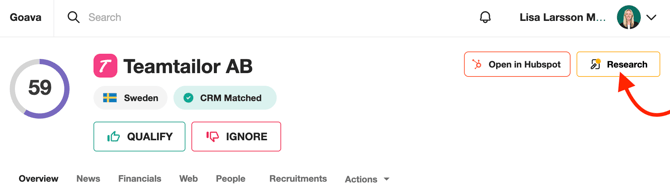
2. Type @goava and click on it to open the Research Agent; a chat panel will appear.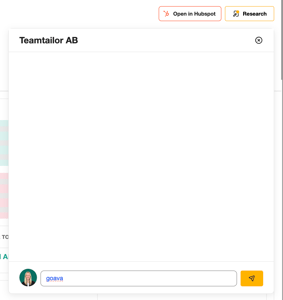
3. Ask your question. For example: “Tell me about this company. Who should I talk to? Give me a reason to contact them.” You can ask in any language; the agent replies in the language you use.
Wait for the Agent’s reply. This may take a few minutes as it analyzes company data and runs external web searches to provide the best possible answer.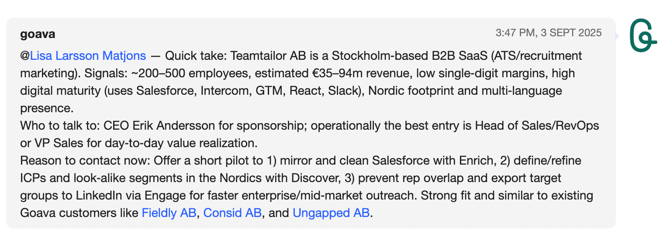
4. Review the tailored answer and refine it with follow‑up questions (e.g., “shorten to two sentences,” “focus on cost savings,” “answer in Swedish”).
5. If you have Goava connected to your CRM, you can export the research to your CRM by hovering over the answer and clicking "export to CRM".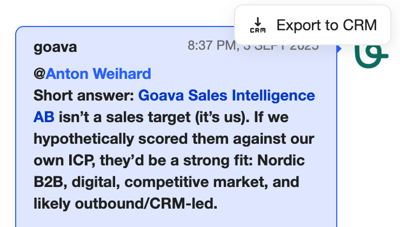
Research Agent Automations
This is where it gets powerful. Instead of running research manually on each company, you can automate it.
What it does
Research Agent Automations let you set up a rule: whenever a company is added to a specific list in Goava Discover, the Research Agent automatically runs your prompt on that company. If your CRM is connected, the result is saved as a note on the company in the CRM, without you lifting a finger.
In practice, this means you can build a workflow where you (or your team) add interesting companies to a list throughout the day, and by the time you sit down to make calls, every company already has a research brief waiting in your CRM.
How to set it up
- Go to Settings in Goava Discover.
- Find the Research Agent Automations section.
- Click "Add new automation".
- Choose which list should trigger the automation — whenever a company is added to this list, the agent will run. We recommend starting with your Qualified list.
- Write your research prompt — the task the agent should perform for every company added to that list.
- Save the automation.
That's it. From now on, every company added individually to that list will be automatically researched.
Good to know:
- The automation triggers when companies are added one at a time (e.g. when you click "Qualify" on a company). It does not trigger on bulk exports.
- If your CRM is connected to Goava, the research output is automatically saved as a note on the company record in your CRM.
- Each research task uses AI credits from your account's credit balance. A task typically uses up between 1-3 credits depending on the complexity of the task.
Example setup
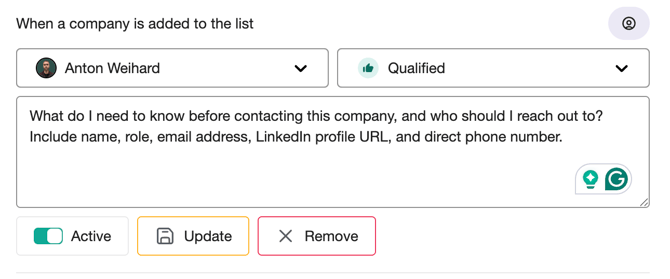
Let's say your sales team qualifies a lot of companies and adds them to their Qualified list. Then your prompt could be set up something like this:
"What do I need to know before contacting this company, and who should I reach out to? Include name, role, email address, LinkedIn profile URL, and direct phone number."