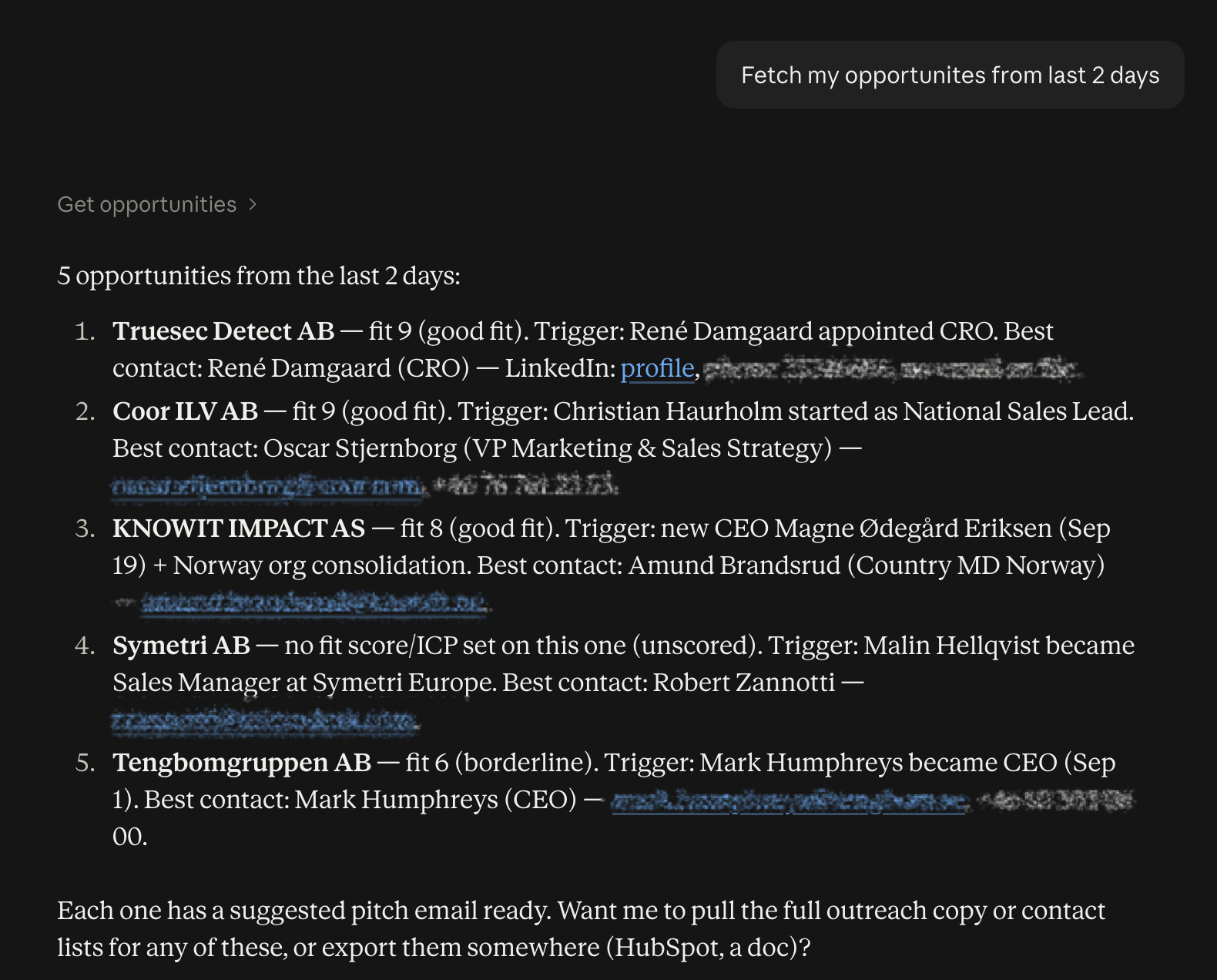
With Goava MCP, you can interact with your Goava data directly in Claude or ChatGPT - search for companies, build segments, and discover today’s best opportunities, all without leaving the chat.
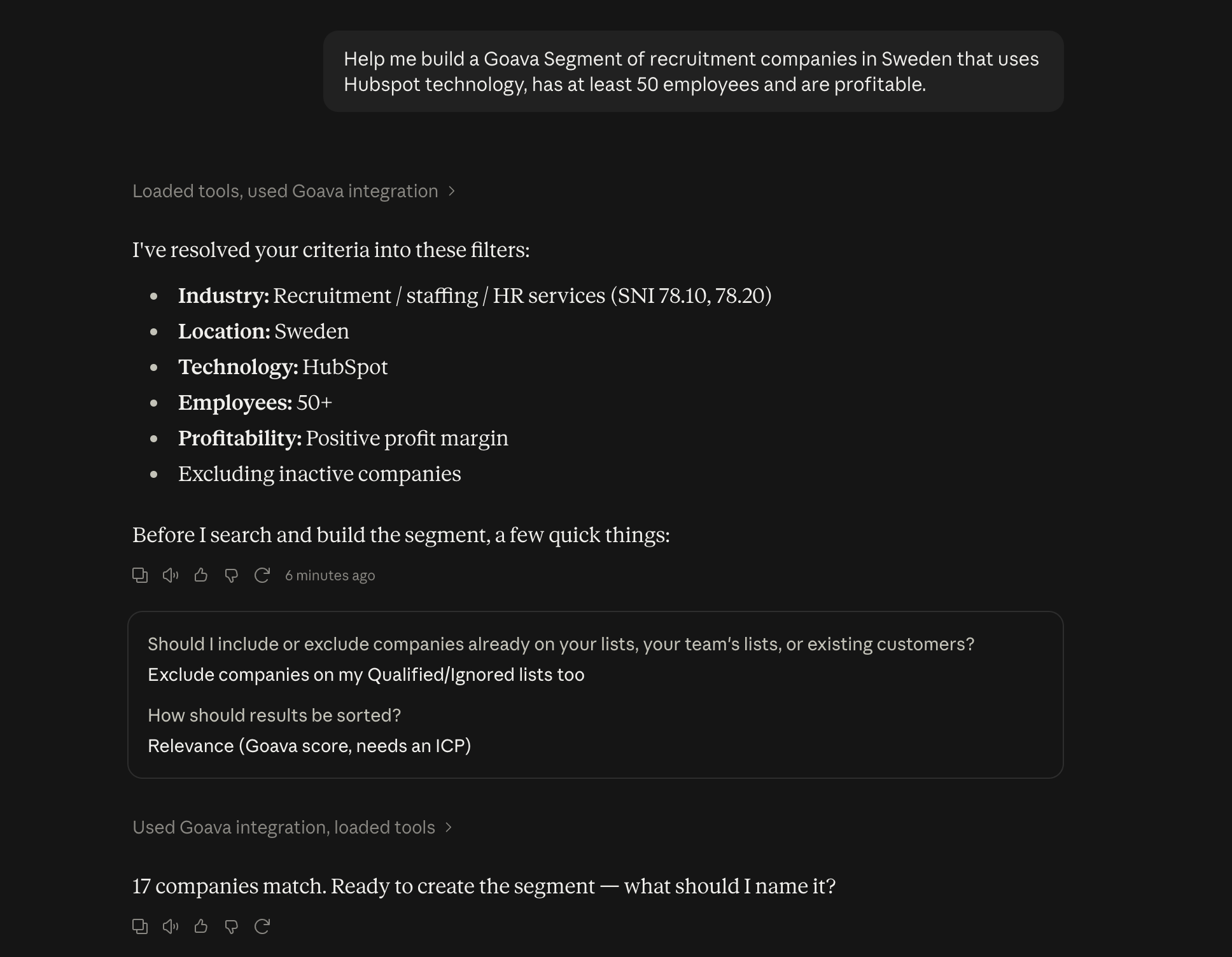
Describe your ideal customer in everyday language and get a ranked list of matching companies. Search, filter, or browse—all through Claude.
02Segmentation
Build segments & ICPs directly
Create new segments and customer profiles based on a description, or see exactly which filters are behind a segment you already have—without opening Goava.
03Signals
Never miss an opportunity
Get today's signals and opportunities—including recommended contacts and next steps—right in your AI assistant.
Describe your ideal customer, get the right filter
There’s no need to learn Goava’s filter structure. Describe your target audience in everyday language—industry, location, size, revenue, tech stack, news—and Goava MCP will convert that into Goava’s structured filter criteria.
The same tool lists your existing segments and shows exactly which filters underlie what you already have, so the entire team understands what the segment actually contains.
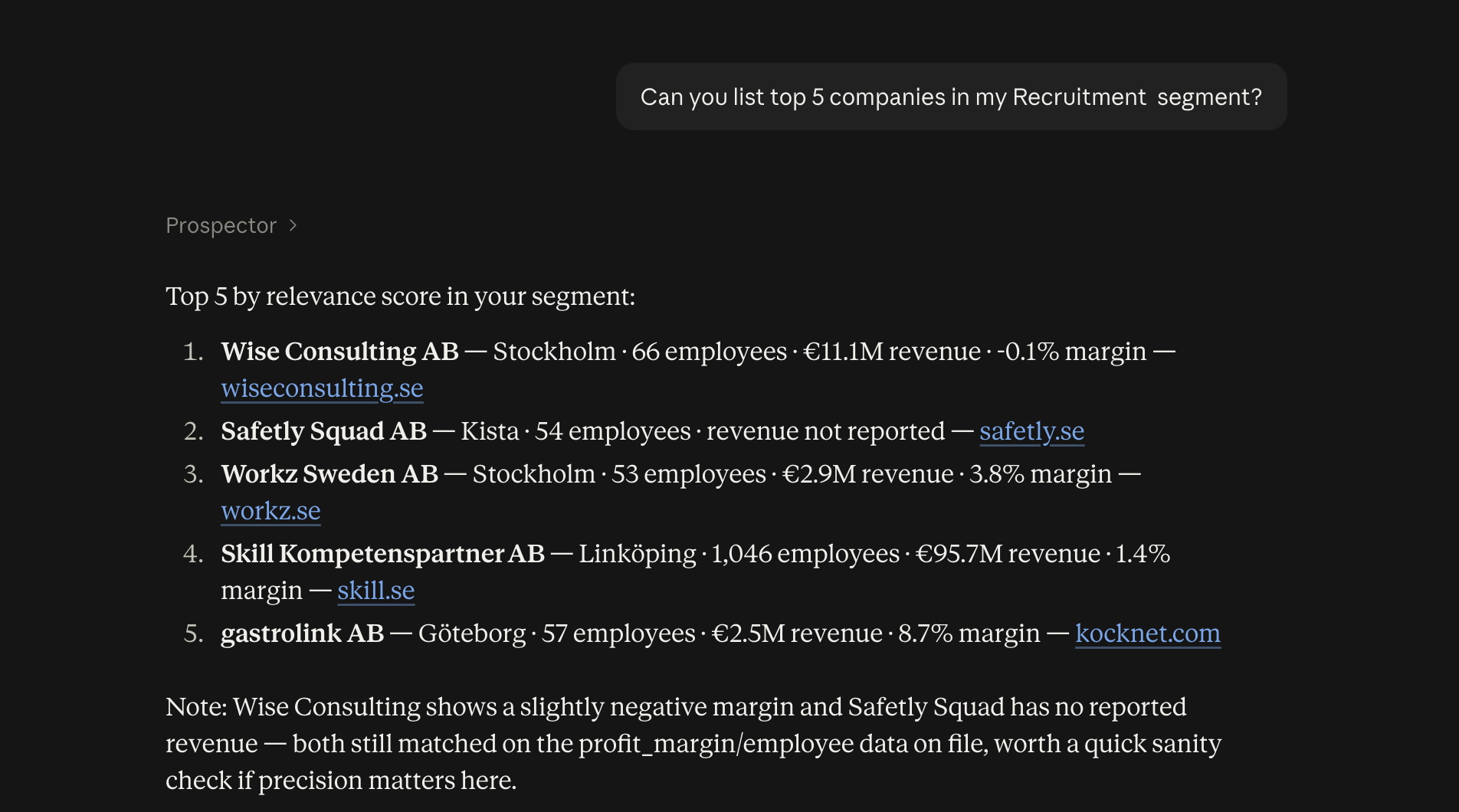
Search and rank businesses – directly in the chat
Describe what you're looking for, and Goava will take care of the rest.
Here’s how it works:
· Ranked search results based on how well a business matches your criteria
· Free-text search when you have a general idea of what you’re looking for
· Browse alphabetically when you want to explore
The same tool also creates new segments and ICPs (Ideal Customer Profiles) from a simple description—so your next target audience is ready before you’ve even opened Goava.
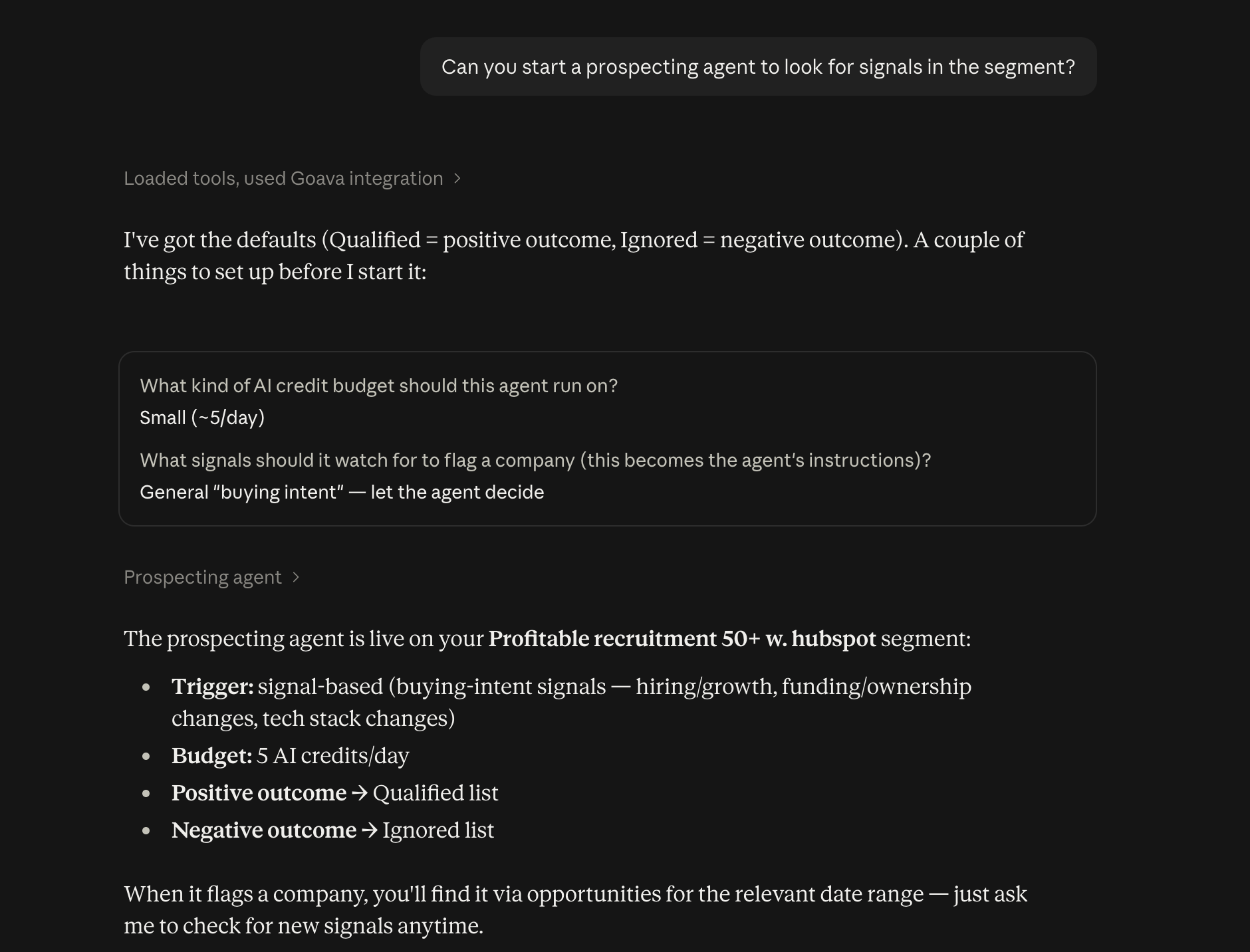
Automatic prospecting, around the clock
Set up a prospecting agent for a segment, and it will find new matching companies for you—on a schedule or as soon as a signal appears.
Through your AI assistant, you can set up new agents, adjust existing ones, and check their status—without opening the settings in Goava.
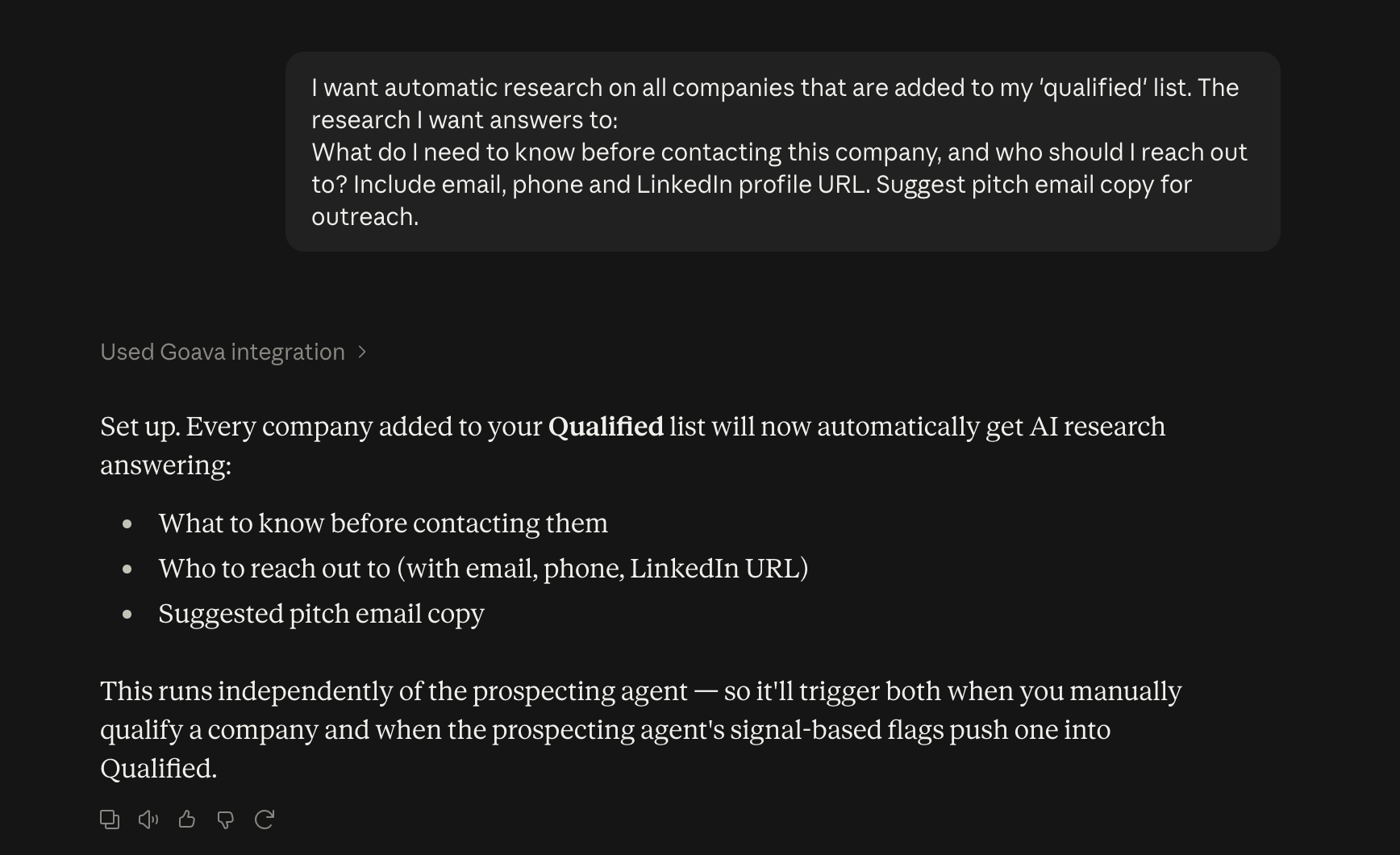
AI research currently underway automatically
Set up AI research prompts that automatically run on the companies added to your lists—such as “Qualified” or “My Customers.”
You decide which lists and which users the research should apply to, and the results are ready before the salesperson even opens the company’s profile.
Retrieve agents' signals and prospectuses every morning
Retrieve opportunities and signals that Prospecting Agent or Signal Agent has identified during any time period—fit score, “why-now” signal, recommended contact information, and suggestions for next steps. Build scheduled workflows that, for example, place pre-written email drafts in your outbox every morning.